25 Free Digital Audio Editors You Should Know

Posted by Webber at 7:04 AM


free audio editors

Credit: Background image from DA

A digital audio editor is defined as a computer application for manipulating digital audio. As a multimedia creator, we normally use audio editor for recording audio, edit the duration and timeline, mix multiple sound tracks, apply simple effects for audio enhancement and create conversion between different audio file formats.

There are countless ways that digital audio editor can be used, and fortunately there are plenty of good and free digital audio editors out there to help you with your own implementation. So if you're thinking to purchase a license for Adobe Audition, Cool Edit or Soundforge, hold that thought first. Not to say they aren't cool, but it's always wiser to tryout free applications before going to the pay deal.

Here's our collection of 25 free digital audio editors. Full list after jump!

  1. Audacity

    Audacity is free, open source software for recording and editing sounds. It allows you to record live audio, converts tapes and records into digital recordings or CDs, edit Ogg Vorbis, MP3, WAV or AIFF sound files. You also can cut, copy, splice or mix sounds together with Audacity. Built-in effects are given to remove static, hiss, hum or other constant background noises.

    Audacity

  2. Power Sound Editor

    Power Sound Editor Free is a visual audio editing and recording software solution, which supports many advanced and powerful operations with audio data.

    You can use Power Sound Editor Free to record your own music, voice, or other audio files, edit it, mix it with other audio or musical parts, add effects like Reverb, Chorus, and Echo, and burn it on a CD, post it on the World Wide Web or e-mail it.

    power_sound_editor

  3. mp3DirectCut

    mp3DirectCut is a fast and extensive audio editor and recorder for compressed mp3. You can directly cut, copy, paste or change the volume with no need to decompress your files for audio editing. Using Cue sheets, pause detection or Auto cue you can easily divide long files.

    mp3DirectCut

  4. Music Editor Free

    Music Editor Free (MEF) is a multi-award winning music editor software tool. MEF helps you to record and edit music and sounds. It lets you make and edit music, voice and other audio recordings. When editing audio files you can cut, copy and paste parts of recordings and, if required, add effects like echo, amplification and noise reduction.

    Music_Editor_Free

  5. Wavosaur

    Wavosaur is a free sound editor, audio editor, wav editor software for editing, processing and recording sounds, wav and mp3 files. Wavosaur has all the features to edit audio (cut, copy, paste, etc.) produce music loops, analyze, record, batch convert. Wavosaur supports VST plugins, ASIO driver, multichannel wav files, real time effect processing. The program has no installer and doesn't write in the registry. Use it as a free mp3 editor, for mastering, sound design.

    wavosaur

  6. Traverso DAW

    Traverso DAW is a GPL licensed, cross platform multitrack audio recording and editing suite, with an innovative and easy to master User Interface. It's suited for both the professional and home user, who needs a robust and solid DAW. Adding and removal of effects plugins, moving Audio Clips and creating new Tracks during playback are all perfectly safe, giving you instant feedback on your work!

    traverso_daw

  7. Ardour

    Ardour is a digital audio workstation. You can use it to record, edit and mix multi-track audio. You can produce your own CDs, mix video soundtracks, or just experiment with new ideas about music and sound. Ardour capabilities include: multichannel recording, non-destructive editing with unlimited undo/redo, full automation support, a powerful mixer, unlimited tracks/busses/plugins, timecode synchronization, and hardware control from surfaces like the Mackie Control Universal. If you've been looking for a tool similar to ProTools, Nuendo, Pyramix, or Sequoia, you might have found it.

    ardour

  8. Rosegarden

    Rosegarden is a well-rounded audio and MIDI sequencer, score editor, and general-purpose music composition and editing environment. Rosegarden is an easy-to-learn, attractive application that runs on Linux, ideal for composers, musicians, music students, and small studio or home recording environments.

    Audacity

  9. Hydrogen

    Hydrogen is an advanced drum machine for GNU/Linux. It's main goal is to bring professional yet simple and intuitive pattern-based drum programming.

    Audacity

  10. WavePad Sound Editor

    WavePad Sound Editor lets you make and edit music, voice and other audio recordings. When editing audio files you can cut, copy and paste parts of recordings and, if required, add effects like echo, amplification and noise reduction. WavePad works as a wav editor or mp3 editor but it also supports a number of other file formats including vox, gsm, real audio, au, aif, flac, ogg and more.

    wavepad

  11. Sound Engine

    SoundEngine is the best tool for personal use, because it enables you to easily edit a wave data while it has many functions required for a mastering process.

    soundengine

  12. Expstudio Audio Editor

    Expstudio Audio Editor is a visual music file editor that has many different options and a multiple functionality to edit your music files like editing text files. With a given audio data it can perform many different operations such as displaying a waveform image of an audio file, filtering, applying various audio effects, format conversion and more.

    Expstudio_Audio_Editor

  13. DJ Audio Editor

    DJ Audio Editor is easy-to-use and well-organized audio application which allows you to perform various operations with audio data. You can create and edit audio files professionally, also displaying a waveform image of audio file makes your work faster.

    DJ_Audio_Editor

  14. Eisenkraut

    Eisenkraut is a cross-platform audio file editor. It requires Java 1.4+ and SuperCollider 3. It supports multi-channel and multi-mono files and floating-point encoding. An OSC scripting interface and experimental sonagramme functionality are provided.

    Audacity

  15. FREE WAVE MP3 Editor

    Free Wave MP3 Editor is a sound editor program for Windows. This software lets you make and edit voice and other audio recordings. You can cut, copy and paste parts of recording and, if required, add effects like echo, amplification and noise reduction.

    free_wave_mp3_editor

  16. Kangas Sound Editor

    Fun Kangaroo-themed program that allows the user to create music and sound effects. It uses a system of frequency ratios for pitch control, rather than conventional music notation and equal temperament. It allows instruments, both musical and percussion, to be created.

    Kangas_Sound

  17. Ecawave

    Ecawave is a simple graphical audio file editor. The user-interface is based on Qt libraries, while almost all audio functionality is taken directly from ecasound libraries. As ecawave is designed for editing large audio files, all processing is done direct-to-disk. Simple waveform caching is used to speed-up file operations. Ecawave supports all audio file formats and effect algorithms provided by ecasound libraries. This includes JACK, ALSA, OSS, aRts, over 20 file formats, over 30 effect types, LADSPA plugins and multi-operator effect presets.

    ecawave

  18. Audiobook Cutter

    Audiobook Cutter splits your MP3 audio books and podcasts in a fast and user friendly way. The split files can easily be used on mobile MP3 players because of their small-size. Their duration allows smooth navigation through the book. The split points are determined automatically based on silence detection.

    audiobook_cutter

  19. Jokosher

    Jokosher is a simple yet powerful multi-track studio. With it you can create and record music, podcasts and more, all from an integrated simple environment.

    jokosher

  20. LMMS

    LMMS is a free cross-platform alternative to commercial programs like FL Studio, which allow you to produce music with your computer. This includes the creation of melodies and beats, the synthesis and mixing of sounds, and arranging of samples. You can have fun with your MIDI-keyboard and much more; all in a user-friendly and modern interface.

    LMMS

  21. Mp3Splt

    Mp3Splt-project is a utility to split mp3 and ogg files selecting a begin and an end time position, without decoding. It's very useful to split large mp3/ogg to make smaller files or to split entire albums to obtain original tracks. If you want to split an album, you can select split points and filenames manually or you can get them automatically from CDDB (internet or a local file) or from .cue files. Supports also automatic silence split, that can be used also to adjust cddb/cue splitpoints. You can extract tracks from Mp3Wrap or AlbumWrap files in few seconds.

    mp3splt

  22. Qtractor

    Qtractor is an Audio/MIDI multi-track sequencer application written in C++ with the Qt4 framework. Target platform is Linux, where the Jack Audio Connection Kit (JACK) for audio, and the Advanced Linux Sound Architecture (ALSA) for MIDI, are the main infrastructures to evolve as a fairly-featured Linux desktop audio workstation GUI, specially dedicated to the personal home-studio.

    qtractor

  23. ReZound

    ReZound aims to be a stable, open source, and graphical audio file editor primarily for.

    ReZound

  24. Sweep

    Sweep is an audio editor and live playback tool for GNU/Linux, BSD and compatible systems. It supports many music and voice formats including WAV, AIFF, Ogg Vorbis, Speex and MP3, with multichannel editing and LADSPA effects plugins.

    sweep

  25. Wavesurfer

    WaveSurfer is an Open Source tool for sound visualization and manipulation. It has been designed to suit both novice and advanced users. WaveSurfer has a simple and logical user interface that provides functionality in an intuitive way and which can be adapted to different tasks.

    LMMS


Posted via email from webber's posterous

Tauren Pro- Premium Wordpress Theme

Posted by Webber at 7:04 AM


When it comes to premium WordPress themes these days it's sometimes tough to find a quality design and theme. I usually spend a lot of time scouring the web looking for the best of the best so the themes listed on eBlog Templates are top-notch.

Tauren is one of the ThemeSpinner premium WordPress themes and is one of my favorites from their site. The pricing is reasonable especially the unlimited license which allows you to use on all your blogs.

This theme is WP 2.5+ compatible, widget ready, Adsense ready, gravatar ready, unlimited support, and the PSDs are even included.

Packages

Single Use ($69) - This package includes one license, unlimited theme support, and the design .psds.

Multiple Use ($128) - This package includes license to use on unlimited blogs, unlimited theme support, and the design .psds.

This is one of many nice premium WordPress themes created by ThemeSpinner.com and if you don't like this layout and/or color scheme, you can browse their other premium themes and choose another one.


Posted via email from webber's posterous

Free Instant Blog Logos

Posted by Webber at 6:59 AM


---------- Forwarded message ----------
From: eBlog Templates <info@eblogtemplates.com>
Date: Fri, Dec 26, 2008 at 11:39 PM
Subject: The latest news from eblog templates
To: ultimatewebber@gmail.com


free instant logoIf you've already got a blog and you've been searching for a cool modern logo to make it unique, I've got a great site for you. Logo Instant provides some great free logos in Photoshop format (.psd) which you can easily edit and modify to your liking. Every day they provide a brand new custom Web 2.0 logo

The motto posted on their website is,"You don't have to spend big bucks anymore for designer, because this service is 100% free". That's something most of you can appreciate I'm sure!

For those of you who don't know how to use Adobe Photoshop (or own it for that matter) then you can either download a free photo editor like Paint.net or Gimp (my personal favorite) to modify the logos. You'll have to download, install, and spend a few hours getting ramped up before you'd be able to cusomize the logos. It's not a quick easy thing to do but if you've got the time and are ready to learn a new useful skill, then it's worth doing.

Blogging For Dummies (Amazon Book)


Posted via email from webber's posterous

30 Excellent WordPress Video Tutorials

Posted by Webber at 9:39 AM


30 Excellent WordPress Video Tutorials

WordPress is one of the most popular publishing platforms currently out on the market. It's free, highly-customizable, and very easy to install and use. Because of its popularity, you'll find a wide array of resources that discuss WordPress development, administration, as well as plenty of user guides to help you get started quickly.

In this article, we take advantage of the merits of learning by way of watching video tutorials and screencasts. Video tutorials allow you to learn by following along with the instructor in real-time - a format that's very effective for many people.

You can use these video tutorials a couple of ways: to learn about WordPress yourself or to send to your not-so-technology-inclined clients as a reference to help them get started. You'll find the tutorials organized into several topics that include theme development and customization, site administration, beginner's tutorials, and using some WordPress tools.

WordPress theme development

Designing for Wordpress

Designing for Wordpress - screen shot.

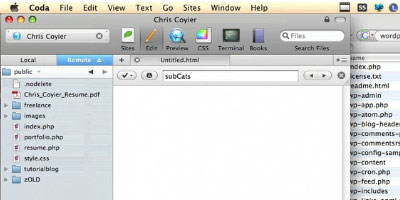
See Chris Coyier's (of CSS-tricks) process for designing a WordPress site in this three part series. Also check out part 2 and part 3.

Creating a WordPress Template

Creating a WordPress Template - screen shot.

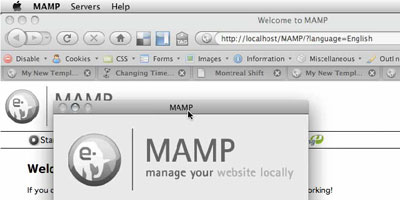
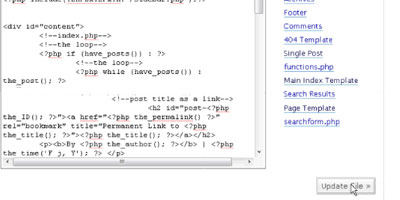
Here's a tutorial series (also see part 2 and part 3) for creating a WP template using a variety of free tools such as MAMP (for local machine development) and TextWrangler (a text editor).

Hodgepodge of WordPress Tricks

Hodgepodge of WordPress Tricks - screen shot.

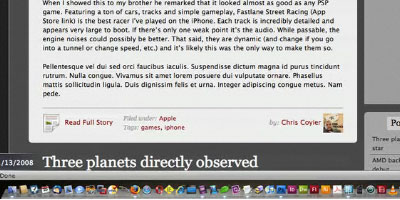
You'll see a variety of useful WordPress theme customization tips and tricks through this video tutorial.

WordPress as a CMS

WordPress as a CMS - screen shot.

Learn how to create a WordPress site that's more of a fully-featured content management system (like Drupal or Joomla) rather than a blogging platform using a few tools at your disposal such as the SimplePie WordPress plugin.

Install WordPress Locally

Install WordPress Locally - screen shot.

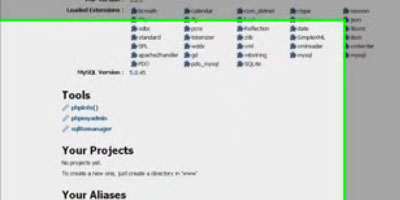
Learn how to run WordPress using a WAMP setup on your local machine for development and testing.

How to Modify WordPress Theme

How to Modify WordPress Theme - screen shot.

In this tutorial, you'll learn about some Theme Template tags in WordPress.

Add a Twitter Field to Your Form

Add a Twitter Field to Your Form - screen shot.

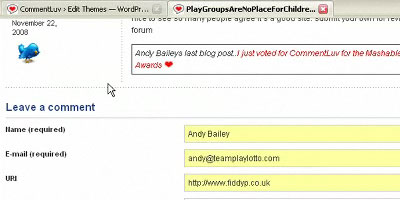
Learn how to install and set up the WP Twitip ID plugin to integrate Twitter into your WordPress site.

How to put a Custom Header in your WordPress Blog

How to put a Custom Header in your WordPress Blog - screen shot.

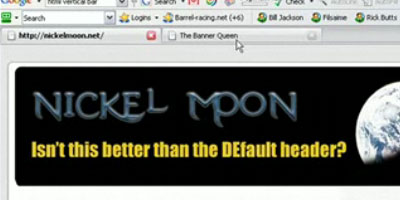
Replace the default WordPress header to a custom-made header so that you can quickly get started with your WordPress blog.

Create your first widget

Create your first widget - screen shot.

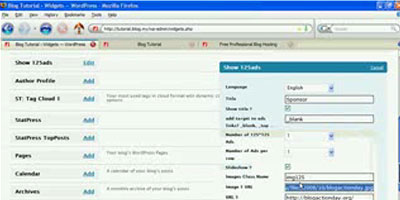
This video tutorial shows you how to create a theme widget for WordPress.

How to make a WordPress plugin

How to make a WordPress plugin - screen shot.

Learn how to create a WordPress plugin that follows the WordPress plugin development guidelines.

Administration

How to setup PrettyURLs on WordPress

How to setup PrettyURLs on WordPress - screen shot.

Learn everything about permalinks (including how to set it up on your WordPress site) in this video tutorial.

Setting up a member/user directory in WordPress

Setting up a member/user directory in WordPress - screen shot.

This video tutorial shows you how to create a member/user directory listing page to display member information.

Lost Password, Update User Info

Lost Password, Update User Info - screen shot.

This helpful tutorial teaches site administrators what to do in case a user loses his or her password.

Enable HTTPS

Enable HTTPS - screen shot.

Learn about HTTPS as it pertains to the security of your WordPress site in this insightful video tutorial.

Best Practices for Upgrading WordPress

Best Practices for Upgrading WordPress - screen shot.

Upgrading WordPress is a simple task but there are some steps you should consider before proceeding with a major upgrade (such as backing up your WordPress database). In this tutorial, you'll learn about a good way of safely upgrading your WordPress installation.

Moving your Blog, changing your domain name

Moving your Blog, changing your domain name - screen shot.

If you need to move your WordPress installation to another location on your server or web host you should check out this general tutorial on the steps involved in relocating your existing WordPress site.

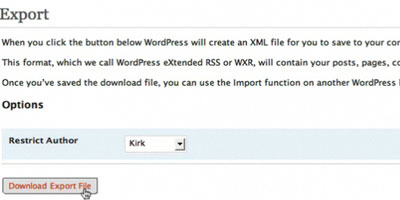
Import and Export WordPress Data

Import and Export WordPress Data - screen shot.

Learn everything about exporting and importing your WordPress data by viewing this excellent screencast.

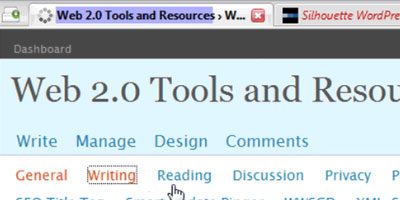
WordPress blog admin settings

WordPress blog admin settings - screen shot.

Get a run-down of useful WordPress admin settings to help you properly administer your site.

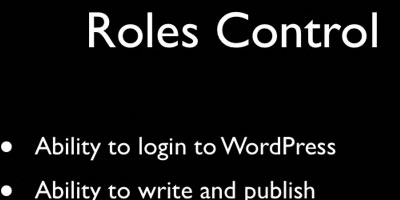
WordPress User Roles Explained

WordPress User Roles Explained - screen shot.

There are several user roles that you can assign to members of your WordPress site - this thorough video tutorial teaches you the difference of each.

Getting started with WordPress

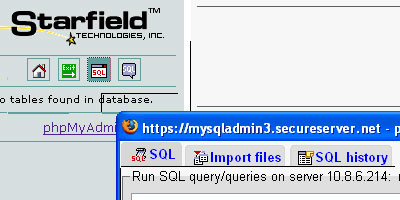
Creating the Database for your Wordpress Installation

Creating the Database for your Wordpress Installation - screen shot.

One of the first steps involved in the installation of WordPress is the creation of a database. This tutorial shows beginners how to create a database for WordPress using phpMyAdmin, a freely available web application that most shared hosting plans have.

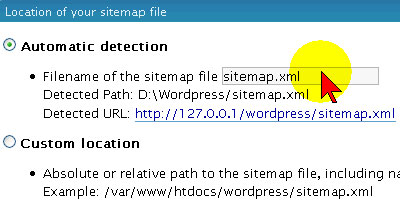
Creating a Sitemap using the Google Sitemap Generator Plugin

Creating a Sitemap using the Google Sitemap Generator Plugin - screen shot.

Improve search engine results using the Google Sitemap plugin - this tutorial shows you how to install and set up the plugin.

Getting Started

Getting Started - screen shot.

Geared for beginners, this tutorial is a great general introduction to blogging and WordPress.

Wordpress installation and theme tutorial

Wordpress installation and theme tutorial - screen shot.

Get up and running with a WordPress installation, as well as learn the basics behind WordPress themes, by following along this video tutorial.

How to Upload PDFs

How to Upload PDFs - screen shot.

WordPress users that want to learn how to upload PDFs to share to their audience might find this short video tutorial useful.

Photo Captions

Photo Captions - screen shot.

Captions describe the photos displayed on a post and in this tutorial you'll see a method for adding them to photos of a blog post.

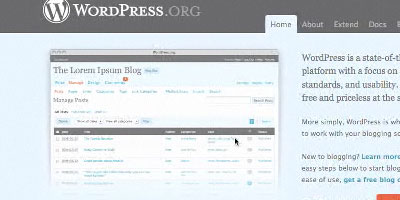
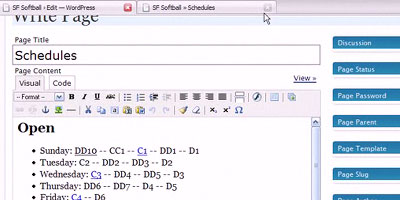
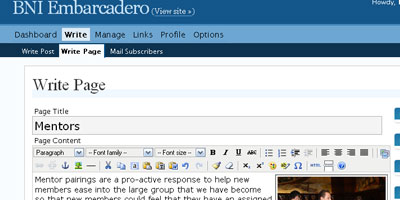
Simple Page Edit in WordPress

Simple Page Edit in WordPress - screen shot.

This screencast shows beginning users how to edit a page in the WordPress admin section.

How do I create a picture gallery in my blog post?

How do I create a picture gallery in my blog post? - screen shot.

This tutorial shows you how to put together a picture gallery post in WordPress.

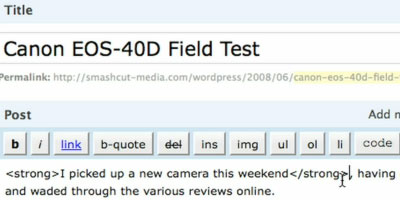
HTML & QuickTags vs. Visual Editor

HTML & QuickTags vs. Visual Editor - screen shot.

Learn the difference between editing content through the Visual Editor (the built-in WYSIWYG editor in WordPress) and good old-fashioned HTML.

WordPress tools

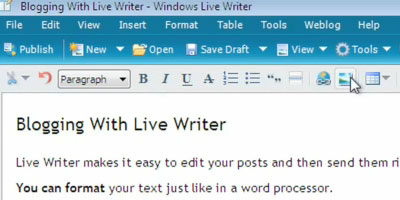
Using Windows Live Writer

Using Windows Live Writer - screen shot.

Set up Windows Live Writer for WordPress so that you can let authors write blog posts offline.

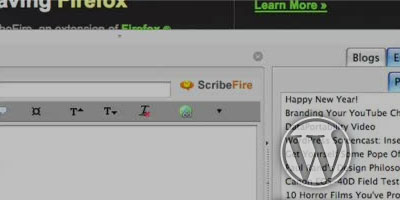
How do I write WordPress blog posts with the ScribeFire Firefox add-on?

How do I write WordPress blog posts with the ScribeFire Firefox add-on? - screen shot.

Make blogging hassle-free with ScribeFire, a Mozilla Firefox browser add-on that let's you update posts on-the-fly.

Further reading

Related content


Posted via email from webber's posterous